Alpaca Festival 2025 Performance Technical Overview
20 July 2026
For this first of hopefully many posts I (Antonio) wanted to do a technical overview of a recent live coding performance. On September 13th 2025 we performed at Sheffield’s Alpaca Festival which confusingly isn’t about alpacas and is actually a festival focused on patterns in music and art. It’s an acronym that stands for Algorithmic Patterns in Creative Arts.
For Alpaca we wanted to do something a bit special and so we proposed a performance that would use drum machine patterns, initially from the book 260 Drum Machine Patterns, as its starting point. We wanted to use some of these drum patterns, or parts from them, and combine them with melodies made in TidalCycles. Overall we thought that fitted the theme of patterns quite well!
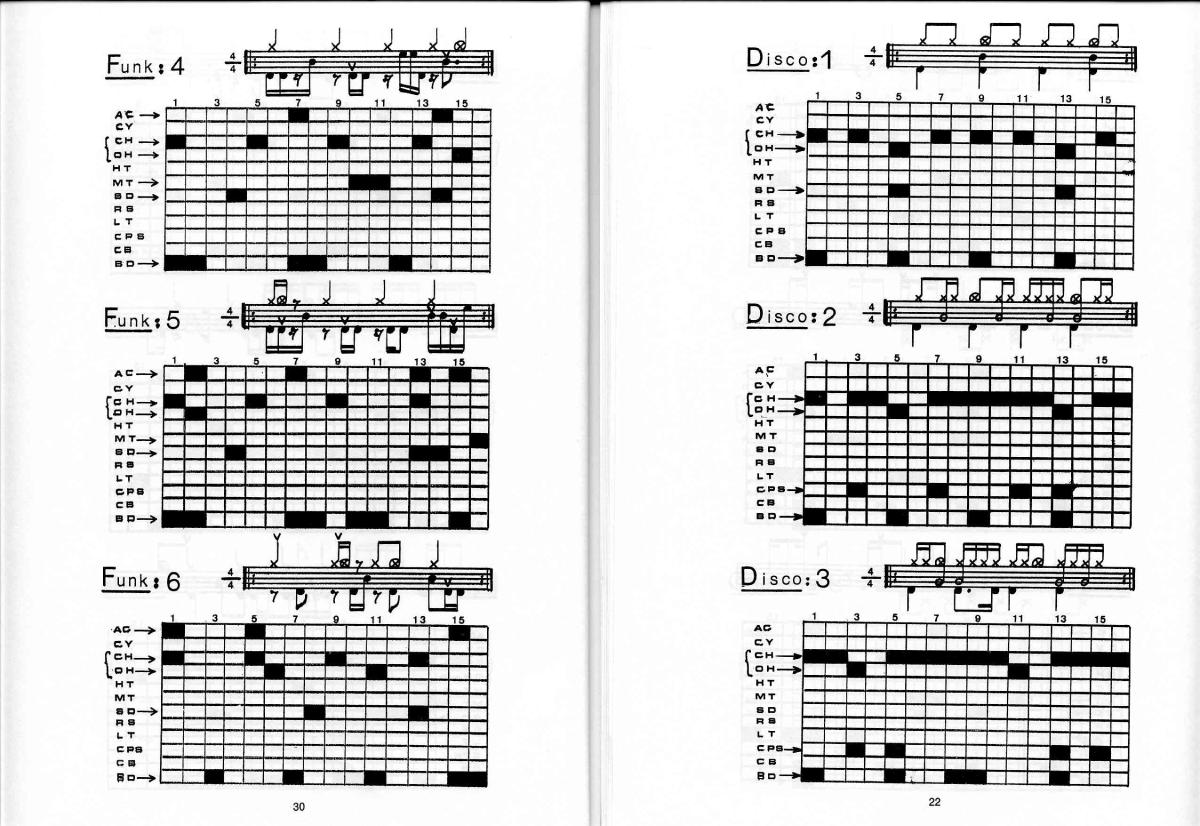
And to our luck there was already a haskell library that provided an easy method for using patterns from this book: https://github.com/Rafrobeat/tidal-drum-patterns
If you’ve been to an Algorave or live coding performance you’ll know that a big part of it is that the performers share their screens and expose the code or processes that they’re using. badcirculation have been doing this since the very beginning, and for this performance we also wanted to visualise the drum patterns that we were using.
This was a surprisingly complex challenge as we wanted to visualise the timeline moving through each drum pattern. In this blog post I want to walk you through the approach I took to solving this and also some of the other aesthetic decisions for our performance. It won’t be a full tutorial on how to use software but hopefully it’ll provide some insight into the process and challenges.
The main issue was how to visualise the pattern in time with the music. An easy solution would have been to create a video of each drum pattern being played and just play that in time with the music. The main issue with this solution is getting the timing right. Most of badcirculation’s music is at 135 bpm, and so I could make a video that matches that bpm, but if we decided to change the bpm mid way through the set we would have to change the playback speed of the video to match, and I didn’t know how to calculate the fps change to match this. Also what would happen if TidalCycles/Supercollider crashed or drifted due to late messages?
And finally, this all assumes that I could get a video to start on a beat. All of these scenarios presented the possibility of the video being out of time or eventually drifting out of time. In the end I dropped the idea of using a video.
The solution I used was to utilise the Link protocol from Ableton. It provides a way to keep many different software and devices in sync with each other. As I understand it, it is different from JACK in that it syncs beat position and not timeline position.
TidalCycles comes with the option to use Link for syncing. Pure Data also has the abl_Link~ external object to make use of the protocol and, for my purpose, it also has the GEM external for displaying images and videos. This already looked promising as a solution for displaying the drum patterns in time with the music.
The [abl_Link~] object in Pure Data can output the current beat number from its third outlet. By default it’s at a resolution of 1 but if it is increased to 4 it now outputs 16 steps per bar.

In inkscape I created 16 images of a yellow vertical bar moving across the screen.

Bringing these into Pure Data I used the [pix_multiimage] object and connected the current beat to the image selection input.
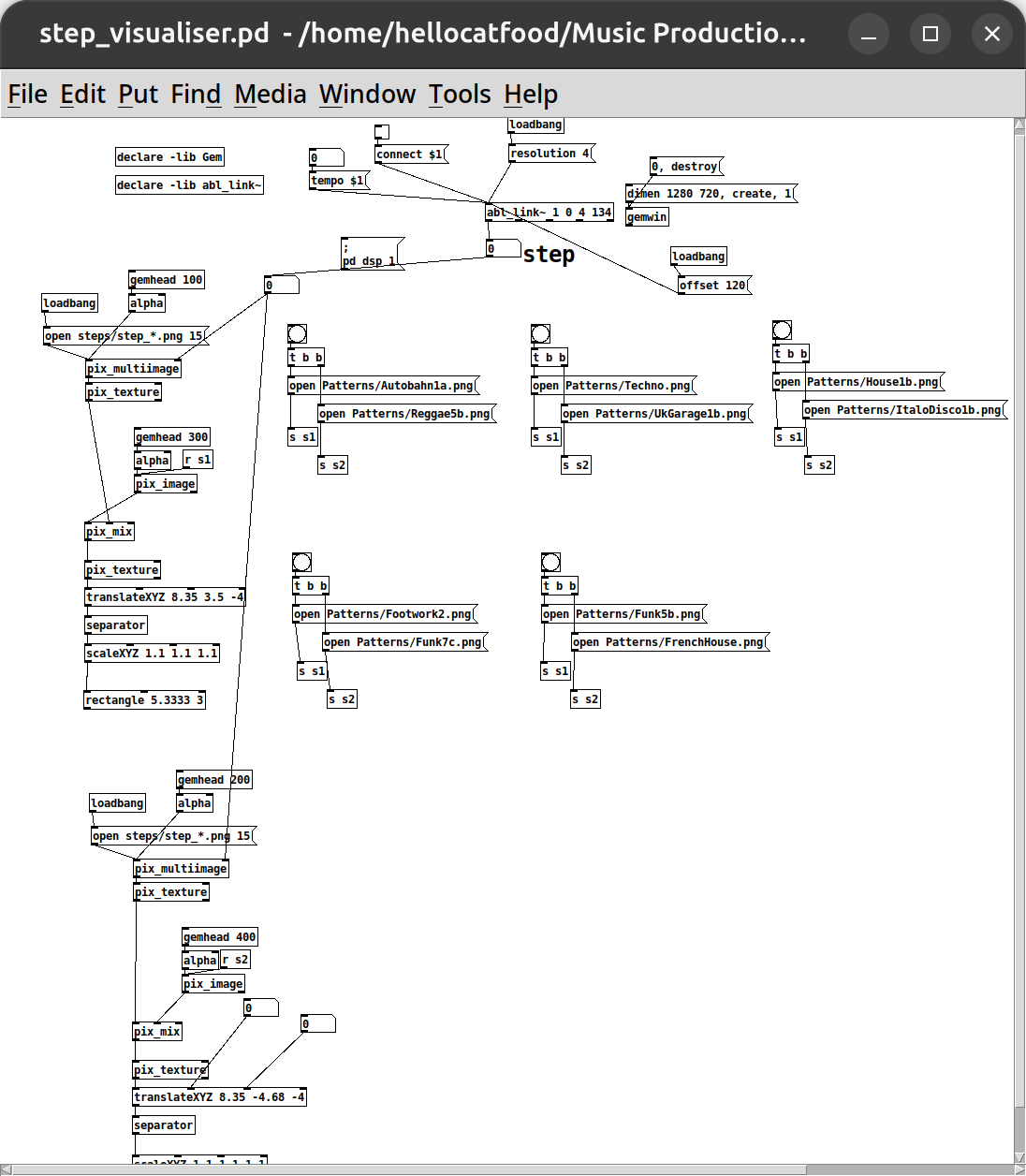
This solution had a couple of benefits. Firstly, it will always respond to bpm changes. Secondly, it would always display the correct image even if tidal crashed or had late messages. Once it caught back up it would display the correct image again. In theory even if playback was reversed it would still display the correct image.
With this solution now working I created images for each drum pattern and composited them in Pure Data/GEM using the [pix_multiply] object.
Switching between them in the performance wasn’t that elegant. I had to do it manually using preprogrammed bang messages. I could have probably used TidalCycles’s midi or osc functionality to trigger these bangs from Tidal itself but that can wait for another time.
With that technical side covered I also wanted to cover a few aesthetic decisions. I handle the majority of the visuals for badcirculation and I wanted the visuals to reflect that our music is rooted in 90s and early 2000s genres like house and UK garage. I originally wanted to get some 90s rave visuals or even render abstract landscapes in something like Bryce 3D, but that was beyond the scope of this project. So, I turned to techniques and equipment that I already possessed.
A device I already own is the _recurboy_. It’s powered by a raspberry pi zero and can be used to play videos and, importantly for this scenario, shaders. I don’t create shaders but it comes preloaded with many and, in my opinion, they have a very demoscene and 90s graphics feel to them.
I also have a few old video mixers and a modular video setup. This is a fairly big topic to go into, but this works with analog video signals. Running any video through something like this instantly makes it look more retro, similar to how putting audio through tape adds a sort of vintage hiss.
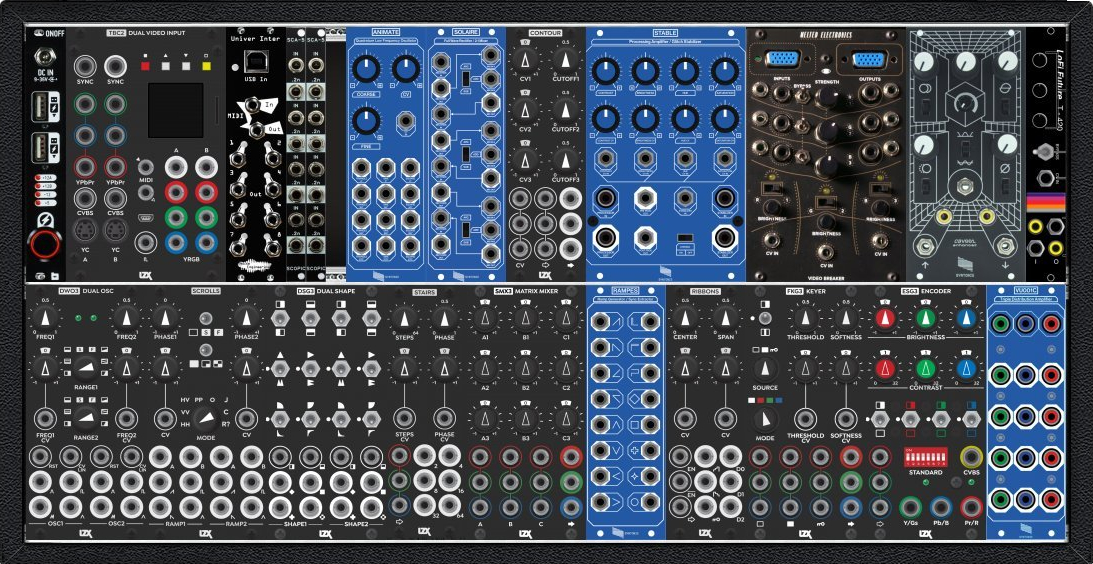
In my modular setup I have a few particular modules for glitching and distorting video. The main ones I used are Stable and CVB001 from Syntonie, Video Breaker from Melted Electronics, and T-420 from Lo-Fi Future.
I ran many of the shaders from the _recurboy_ through these modules and recorded myself just fiddling with each of the parameters. I went a bit overkill with the amount of modules I used but you could easily replicate something like this with just the recurboy and a single glitch module (e.g. _rupture_).
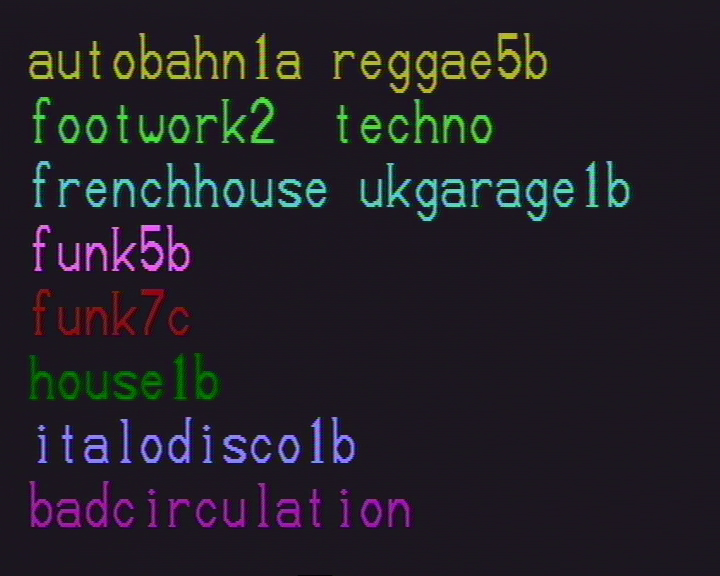
The final part of the visuals were the labels for each drum pattern and individual instruments. To create the labels I used a VideoTech VTG 228 Video Titler. I picked this up on ebay for about £10 and it’s incredibly clunky to use! The buttons are really squishy which makes typing painfully slow! However, I wanted to keep the visuals looking kinda lofi so I persevered and manually typed out each label and then took a screenshot and composited it into the visuals.
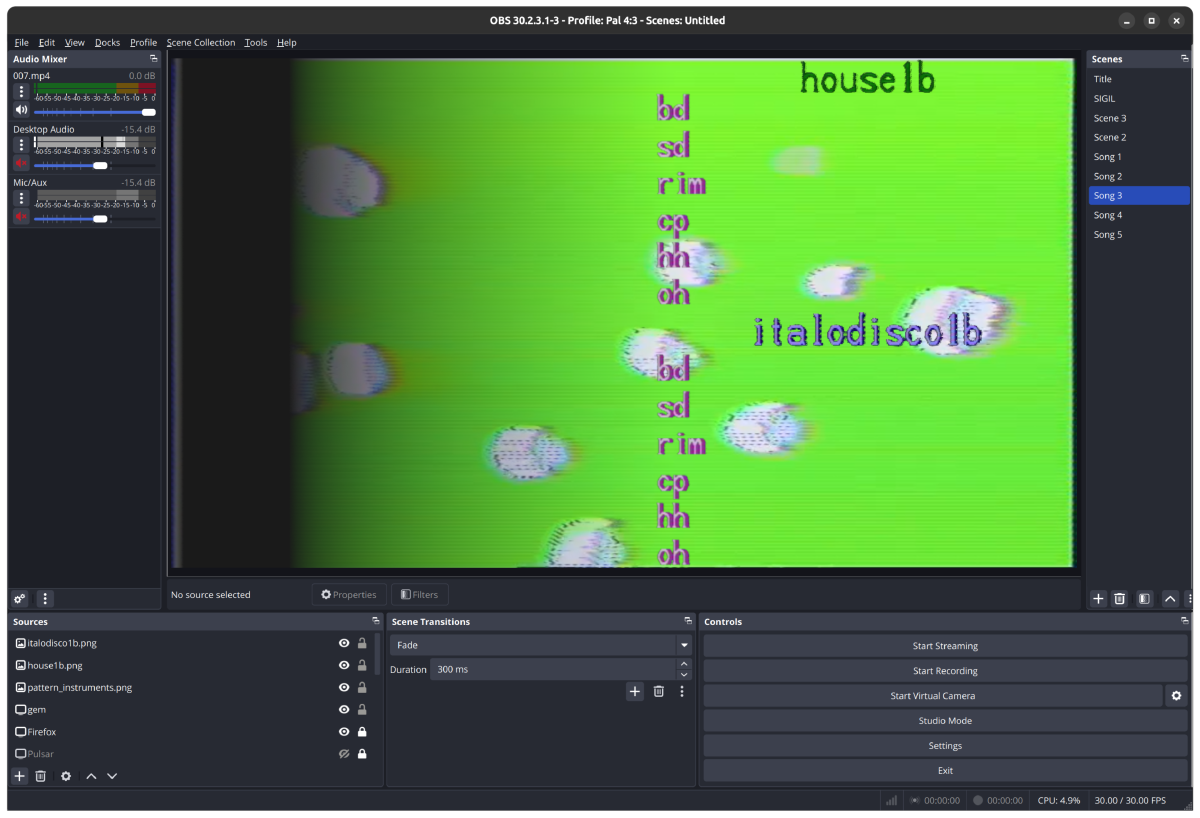
And finally, to composite each element together - those being the labels, the step sequencer visualisation, and the visuals - I used OBS. Thankfully I have a fairly powerful computer which was able to handle running TidalCycles, Pure Data/GEM, playing video, and recording both the audio and video output without issue.
You can see the finished recording over on the badcirculation youtube channel or below.
Oh, and as a bonus, for the recording of the performance, I ran the video camera footage of us performing through my modular video rig and added a lot of effects.
I hope you enjoyed this deep dive into how something quite simple-looking can involve a lot of different elements. There’s definitely other software you can use for, well, any part of this project but hopefully this blog post gave some insight and solutions that you can implement in your own projects.